To upload your homework, please follow these steps:
- Log in to your account.
- Select a course.
- In the “Course details” tab, select a course day.
- Click on the lesson to open the homework.
- Read the instructions and download any files provided.
- Complete your homework (Image 1):
- You can complete your homework directly in the text editor (Image 2).
- You can upload a file.
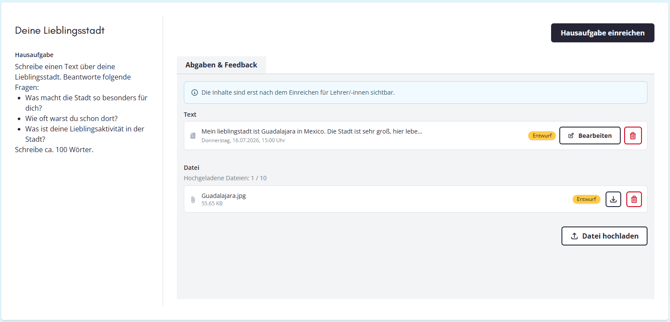
- You can pause at any time and save the homework you’ve done so far. You can continue working on it later. Your teacher won’t see anything yet.
- When you’re done, click “Submit homework” in the top right corner (Image 3). Your teacher will then receive your homework and can correct it.
- Teacher feedback: As soon as your teacher has confirmed your homework, you’ll automatically receive a message. You can then view your teacher’s feedback.
Image 1: Starting your homework
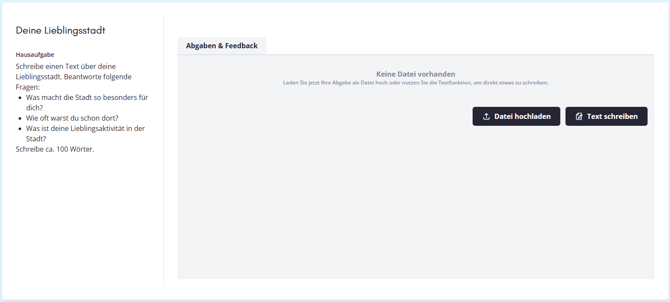
Image 2: Completing your homework
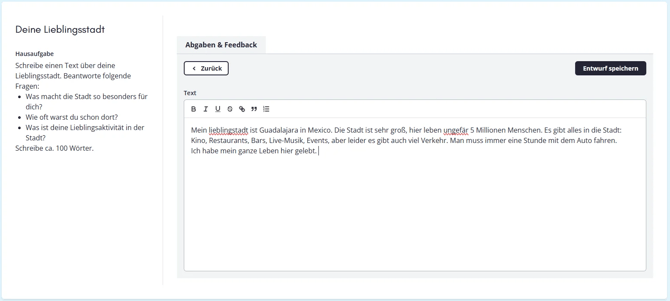
Image 3: Saving and submitting your homework